
Tap on phone · no rental
Fiuu Virtual Terminal: Turn Any NFC Phone into a Card Terminal
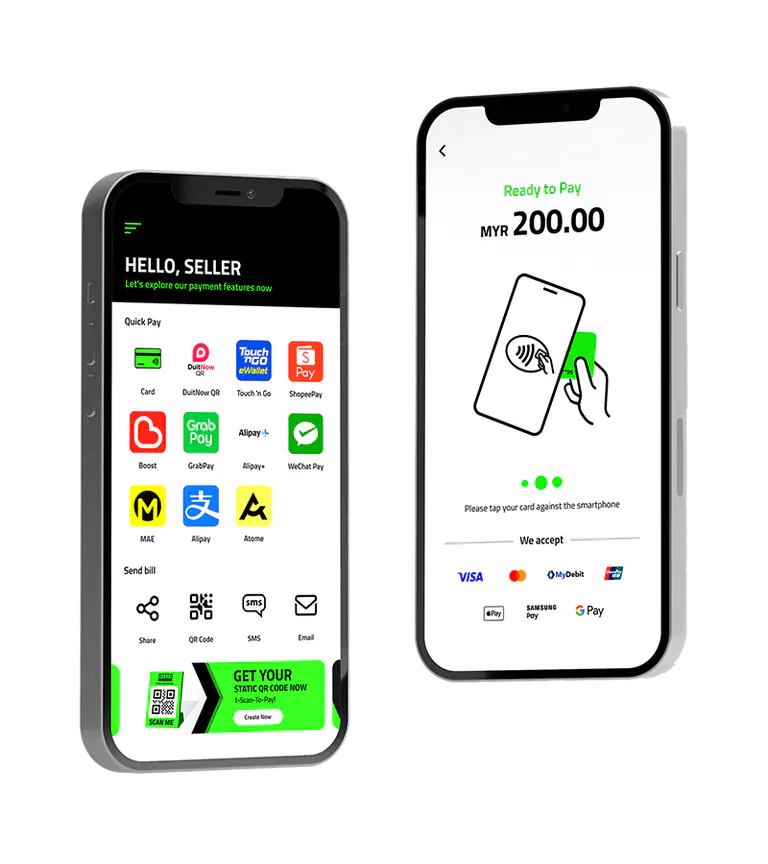
The Fiuu Virtual Terminal (Fiuu VT) is a free app that lets your phone accept card taps, e-wallets, QR codes and payment links. With one Fiuu in-store account you can connect as many phones as you need, for every branch, pop-up store and event, without renting extra terminals.
One account, a terminal on every phone
Each virtual terminal is created in the Fiuu Merchant Portal and linked to a phone by scanning a QR code. All payments land in the same account and settle T+1, and you can see every terminal's transactions in one place.
New branches
Open a branch and add a virtual terminal for it the same day, without applying for another terminal.
Pop-up stores
Run a mall pop-up with staff phones as card terminals, then stop using them when the pop-up ends.
Events and roadshows
Give every booth or cashier a phone terminal for the event and see all sales in one portal.
Delivery and on-site services
Collect payment at the door, at a customer's home or in a food truck.
How to set up Fiuu VT on a phone
- 1
Get your Fiuu in-store account
Apply through 1 POS Pay. After approval you receive your Merchant Portal login.
- 2
Install Fiuu VT
Download the Fiuu VT app from the App Store, Google Play or Huawei AppGallery on a phone with NFC.
- 3
Create a terminal in the portal
In the Merchant Portal open VT Activation > List and click + New VT Terminal to get an activation QR code.
- 4
Activate the phone
In the app tap Activate, agree to the privacy policy, choose "I have activation code only" and scan the QR.
- 5
Set a passcode and take payments
Create a 4-digit passcode. To take a card, open Quick Pay > Card, enter the amount and let the customer tap the card on the phone.
Steps from Fiuu's Virtual Terminal Guide and Merchant Portal Guide (Fiuu documentation on GitHub).
Virtual Terminal or physical terminal?
- Phone (Fiuu VT): free app, quick to add, ideal for pop-ups, events, delivery and extra counters
- Counter device: a sturdier, presentable unit for a fixed checkout, with the same rates
- Mix both: a counter device at the main till plus phones for queue-busting and events
Want a presentable terminal?
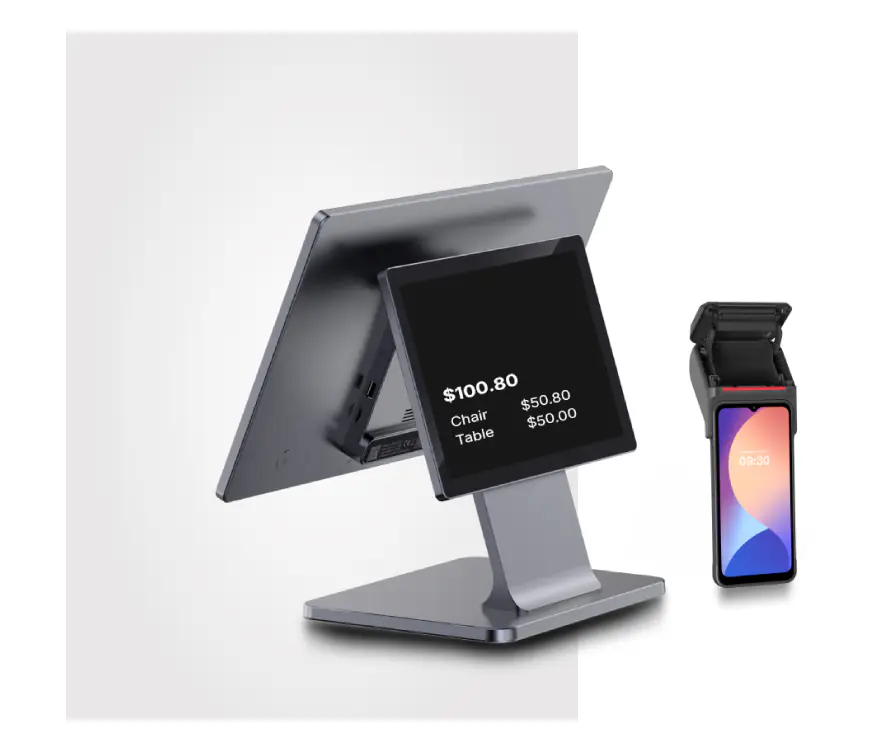
You can buy an Android POS terminal with NFC online, for example the iMin Swift 2, and use it with your Fiuu in-store account. You own the device, so there is no monthly rental.
Fiuu Virtual Terminal rates
Offline rates apply to the Virtual Terminal app and physical terminals alike. 0 setup fee, 0 annual fee, no rental.
| Payment method | Fiuu MDR | HitPay (published) |
|---|---|---|
| Local credit / debit card | 2.40% | 2.5% + S$0.50 |
| International credit / debit card | 3.20% | 3.2% + S$0.50 |
| PayNow | 0.50%, no minimum | 0.4%, min S$0.10 |
| ShopeePay | 1.50% | 1.8% |
| GrabPay | 1.80% | 2.2% |
| WeChat Pay | 1.35% | 1.5% |
| Alipay+ | 2.00% | Not listed |
| Atome | 5.80% | 5.5% |
PayNow has no minimum fee with Fiuu. A PayNow refund processed through Fiuu costs S$0.50; to avoid it, refund the customer directly from your business bank account (for example by PayNow transfer).
Fiuu Virtual Terminal FAQs
What is the Fiuu Virtual Terminal?
Fiuu Virtual Terminal (Fiuu VT) is a free mobile app that turns an NFC-enabled phone into a payment terminal. Customers tap their card on the phone (tap on phone), or pay by e-wallet, QR code or payment link generated in the app.
How many virtual terminals can I have?
You create each virtual terminal in the Fiuu Merchant Portal with its own activation QR code, so you can add a terminal for each phone you use: one per branch, pop-up, event booth or staff member.
Do I pay rental for the Fiuu Virtual Terminal?
No. There is no rental, no setup fee and no annual fee for the Virtual Terminal in 1 POS Pay's Fiuu package. You pay only the MDR on each payment, for example 2.40% on local cards and 0.50% on PayNow with no minimum fee.
Which phones work with Fiuu VT?
The app is on the App Store, Google Play and Huawei AppGallery. To accept card taps the phone needs NFC: most recent Android phones, or a supported iPhone. QR, e-wallet and payment link payments work without a card tap.
Can I use a proper counter terminal instead of a phone?
Yes. The same in-store account and rates work on a physical terminal. If you want a presentable counter device, you can buy an Android POS terminal with NFC, such as the iMin Swift 2, online and run Fiuu VT on it.
How do I cancel a payment on Fiuu VT?
Open Transaction History, choose the transaction with SUCCESS status, tap Cancel Payment and confirm with your passcode. You can also view and share the receipt from the same screen.
Back to Fiuu rates and features, or compare payment terminals in Singapore.