
ERPNext POS · 03 / Record payments
ERPNext POS Payments: Cash, Card, PayNow and Bank Transfer
Configure and record Cash, Credit Card, PayNow and Bank Transfer in ERPNext POS, with practical checks for settlement and reconciliation.
By 1 POS Pay · · 3 min read
Give every method a clear meaning
Use one consistent label for each payment channel across profiles. Cash means money received in the till. Credit Card means a card transaction confirmed by the payment provider. PayNow and Bank Transfer mean transfers confirmed through the business receiving channel.
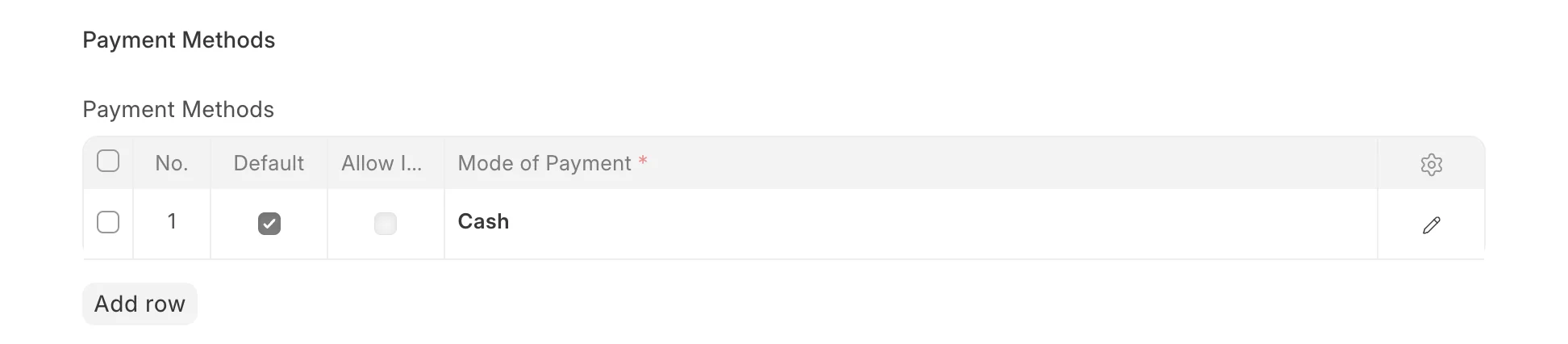
In Mode of Payment, map the method to the correct company account. Cash normally uses a cash account. Non-cash methods need an approved bank or clearing account. A clearing account separates recorded receipts from settlement into the actual bank; it must be reviewed and cleared as settlements are matched.
Confirm collection before recording it
For cash, count the tender and give the displayed change. For card payments, check the terminal or provider confirmation. For a transfer, check the receiving bank or merchant system for the right recipient, amount and transaction. A customer screenshot alone is not a reliable receipt confirmation.
A payment-method label does not automatically enable terminal control, dynamic PayNow QR codes, bank feeds or refunds. Confirm the scope of any installed integration separately and agree a fallback process for failed or delayed confirmations.
Avoid double allocation at checkout
If the full total is already assigned to Cash, clear or adjust it before allocating the amount to another method. For a fictional S$80 sale paid entirely by PayNow, record Cash S$0 and PayNow S$80. Leaving S$80 in both fields records an incorrect payment allocation.
For a split payment, enter only the amount actually received through each method. For example, S$30 Cash plus S$50 Credit Card covers an S$80 total. Review the overall paid amount, balance and change before submitting. These examples exclude any separate tax calculation.
Match receipts to settlements
Keep the invoice reference and provider transaction reference together in the approved business records. At review time, compare POS totals by method with cash counted and provider or bank evidence.
A card provider may settle later and deduct fees. Do not change the original sale to match a smaller bank deposit. Have the accounts team reconcile the receipt, settlement and fees using the approved accounting process. Investigate duplicate, missing or reversed payments instead of forcing a match.
Common questions
Does adding PayNow verify transfers automatically?
No. Adding a Mode of Payment records a classification. Automatic confirmation requires a separately configured and tested integration.
Should card sales always equal today’s bank deposits?
Not necessarily. Settlement timing, fees and reversals can differ. Reconcile using provider reports and transaction references.
References and further reading
Prepared with Frappe documentation and the ERPNext v16 POS implementation. Check your installation’s settings when following these guides.